Students open a retired desktop, label every part they can find as input, processing, output or storage, and trace the path a single keypress takes to the screen.
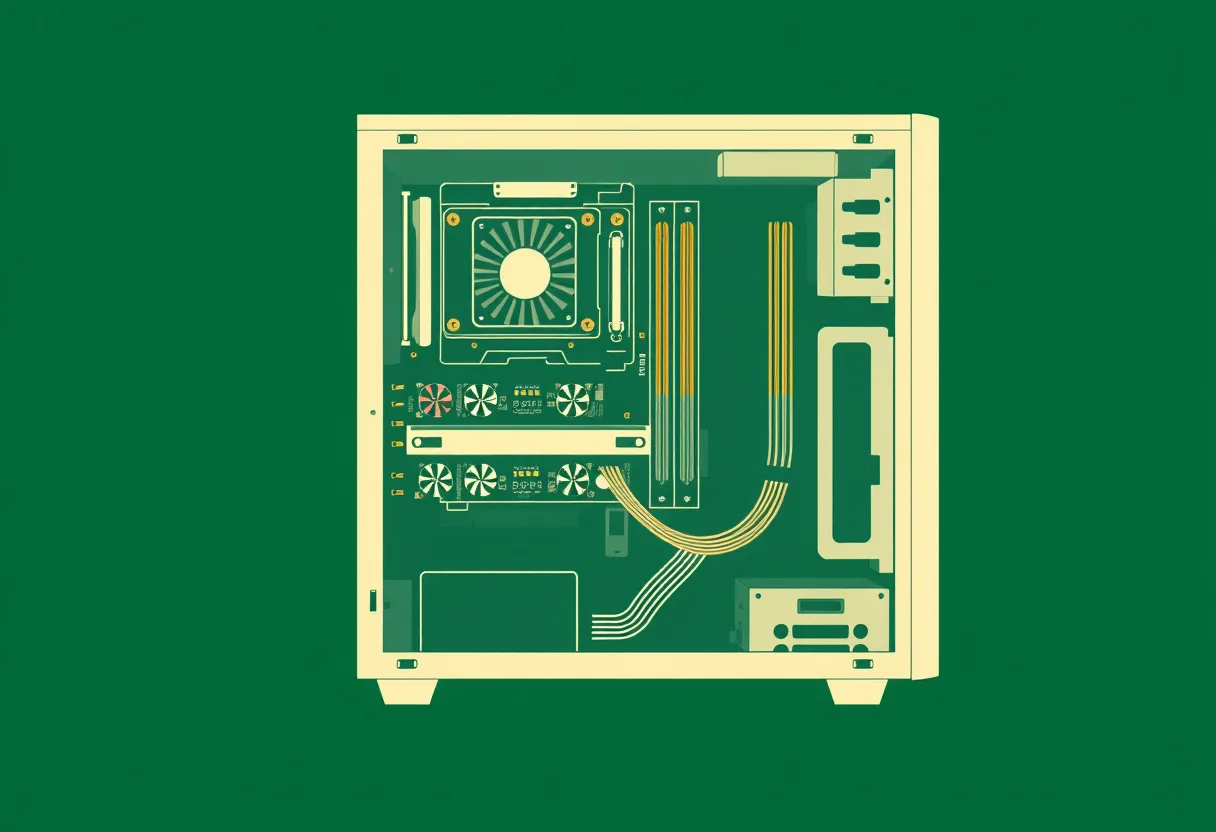 CPU under the cooler · processingRAM · memoryGraphics card · processing + outputDrive bays · storagePower supply · never open it
Objectives
Students will be able to:
- Sort the parts of a computer into input, processing, output and storage, and explain the tricky ones (a touchscreen, a network card).
- Trace the path data takes from a keypress to the screen, naming each part it passes through.
- Explain the difference between memory (RAM) and storage, using what happens when the power goes off.
Board question
- Name three things a computer does after you press a key, in order. Use one short sentence for each.
- Name one thing in this room that is a computer but does not look like one, and give one reason it counts.
Students answer in the notebook at the start, and revisit the answer on the exit ticket.
The 90-minute block
| Minutes | Segment | Teacher | Students |
|---|---|---|---|
| 0–10 | Do Now | Board question in notebooks. Circulate and note two or three answers worth reading aloud later, especially any "computer that does not look like one." | Answer both board asks in the notebook. |
| 10–25 | I Do | Trace one keypress on the demo tower: keyboard, USB port, motherboard, CPU and RAM, GPU, display cable, monitor. Name the IPOS model as you go. Close on the hidden computers: a thermostat, a car, a card reader. Each takes input, processes it, stores something and gives output. | Follow along; sketch the path in the notebook. |
| 25–35 | We Do | Groups sort the 12 cards on the mat. Pull the class back for the three arguments that always come up: the touchscreen (input and output), RAM against the SSD (memory against storage), and the network card (it sends and receives). | Sort the cards as a group and be ready to defend one choice. |
| 35–75 | Lab: Open the Box | Assign roles: lead tech, safety officer, recorder, photographer. Sign off each group's wrist straps before panels come off. Push groups to find eight parts and to trace the keypress path on the real hardware. | Lab sheet Parts A–C: open, label eight parts, trace the path, close up. |
| 75–85 | Share Out | Each group defends one label the room might disagree with. Settle it against the vocabulary. | One speaker per group; the recorder corrects the sheet. |
| 85–90 | Exit Ticket | Board question returns. Two Tech+-style items. | Revisit the notebook answer, then answer the two items. |
The 50-minute period
| Minutes | Segment | Teacher | Students |
|---|---|---|---|
| 0–5 | Do Now | First board ask only. | Answer the first ask in the notebook. |
| 5–13 | I Do | The keypress trace on the demo tower, short version. Name the four IPOS categories. | Sketch the path. |
| 13–18 | We Do | Eight-card sort (drop flash drive, mouse, hard drive, microphone). Settle the touchscreen and RAM. | Sort as a group. |
| 18–43 | Lab: Open the Box | Panels are already off. Wrist-strap check, then five labels and the path trace. | Lab sheet Parts B and C only: five labels and the trace. |
| 43–50 | Exit Ticket | Both board asks plus the two items. | Revisit the notebook answer, then the items. |
What moves to tomorrow: The share-out becomes tomorrow's Do Now: each group posts one disputed label and the class settles it in the first five minutes.
Materials
- One retired desktop tower per group of four (district surplus or donated). Power cords removed and stored before class.
- Phillips #2 screwdriver, ESD wrist strap and a parts tray per group.
- IPOS sort cards (12 per group) and a four-column sort mat: Input, Processing, Output, Storage.
- Sticky labels in four colors, one color per IPOS category.
- One demo tower with the side panel already off, at the front of the room.
- Lab sheet (printed), one per student.
Before class
- Check every tower is unplugged and the cords are out of the room. Remove or tape over the power supply so no one opens it.
- Pre-open one tower as the demo. For the 50-minute version, take every side panel off between classes.
- Cut and bag the sort cards. Twelve cards: keyboard, mouse, microphone, touchscreen, CPU, GPU, RAM, SSD, hard drive, flash drive, monitor, network card.
Safety
- Towers stay unplugged for the whole lab. No one opens the power supply, ever, even unplugged.
- Wrist strap on before hands go inside the case.
- Edges inside old cases can be sharp. Hands move slowly.
Vocabulary
- Input
- Anything that brings data into the computer: a key, a click, a sound, a tap.
- Processing
- The work done on data. The CPU does most of it, and the GPU handles graphics.
- Output
- Anything the computer sends back out: a picture, a sound, a printed page.
- Storage
- Where data stays when the power is off: an SSD, a hard drive, a flash drive.
- RAM (memory)
- Fast, temporary space the CPU works in. It empties when the power goes off.
- Motherboard
- The main circuit board every other part connects to.
Exit ticket
Item 1 is always the board question, revisited. Then:
A student saves an essay and shuts down the laptop. Where is the essay kept so it is still there tomorrow?
- RAM
- The CPU
- The SSD (key)
- The GPU
Which of these is both an input device and an output device?
- A microphone
- A touchscreen (key)
- A printer
- A keyboard
Support
- Sort cards carry a picture of the part as well as the name.
- The vocabulary table is printed on the back of the lab sheet.
- Students who cannot do fine-motor work take the safety officer or recorder role; nobody is required to work inside the case.
Stretch
- Find the CPU, RAM and storage specifications printed on the parts, and estimate when the machine was built.
- Add the path for a mouse click that opens a file, which has to go to storage and back.
Where this leads
Every IT support job starts with knowing what is inside the box. Students also practice the habits a shop expects: unplug first, strap on, keep the screws in the tray, close up and check.