Nobody Hacked Anything
This reading explains social engineering: how people are tricked into giving up information or access, and how a technician stops it. Read the captions in the boxes and the words in the balloons. Panel numbers are in the corners, because the questions on your lab sheet use them. Three times, you decide what happens next. A wrong choice shows what would happen, then lets you choose again.
Social engineering is tricking a person into giving up information or access, instead of breaking into a computer. It is the most common way attackers get into a school or business, because it targets people instead of machines.

Ms. Harris: Front office, this is Ms. Harris.
Vishing is social engineering done over the phone. This caller is using impersonation, which means pretending to be someone the person trusts. A real IT technician calling about a real outage is not impersonation, because the technician is who they say they are.
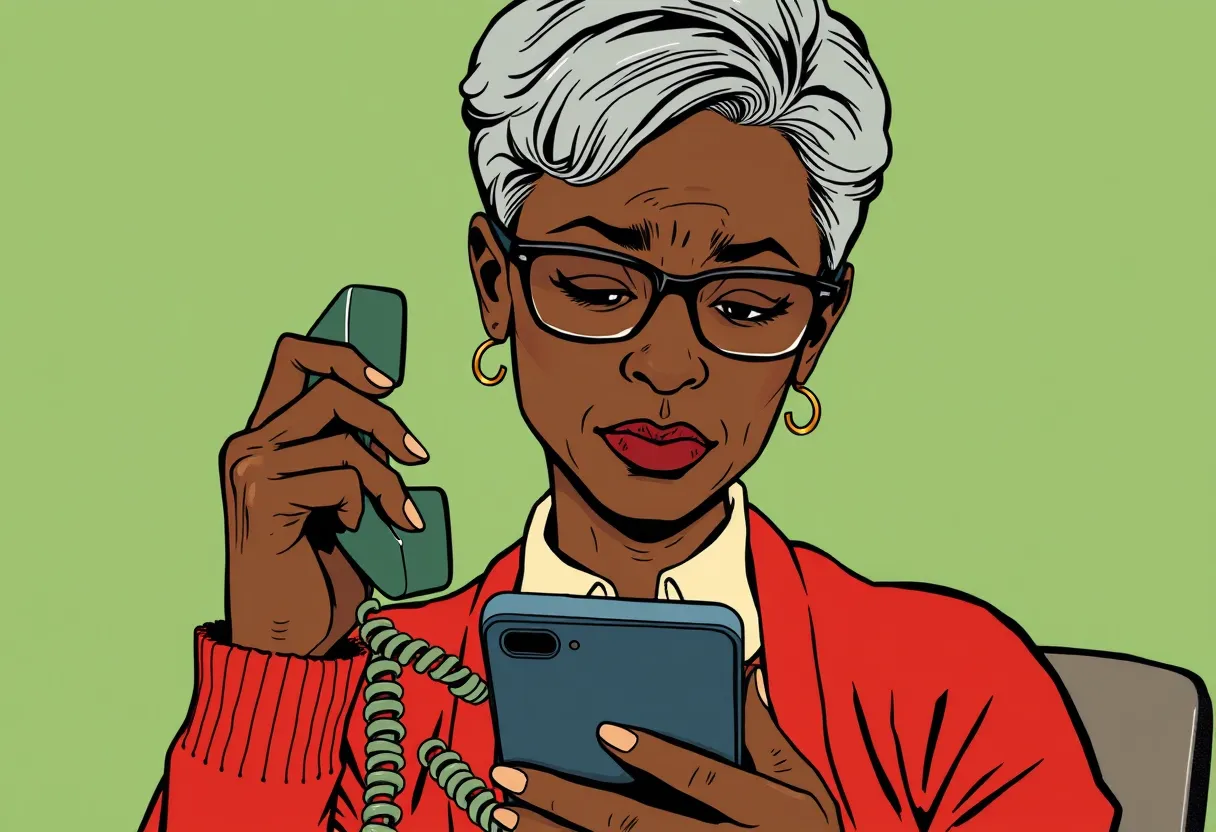
Caller: Hi, this is Kevin from district IT. We're fixing the email outage. I just texted you a code. Read it to me so I can keep your account open.
You decideKevin is waiting on the line. What should Ms. Harris do?
When the code is shared, the last step of the attack happens: the attacker signs in to Ms. Harris's email as if they were her, and sends phishing to everyone in her address book. Messages from a real school account are much harder to spot.

Ms. Harris: I didn't send any of these.
What one shared code costs
Recovery takes the rest of the day. Verification would have taken one phone call.
- Reset the password and sign the account out of every device.
- Warn everyone who got a message from her account, so they do not click.
- Check what the attacker read, changed or forwarded.
- Report it to the district security team, who look for anyone else who replied.
That is what can happen next.
Social engineers add urgency, which is pressure to act right away, so the person acts before thinking. For example, an outage and an account about to close are both urgency. A notice that the network will be down next Saturday is not urgency, because it asks for nothing and gives time.

Dee: Ms. Harris, can I ask who that is first?
The main defense is verification, which means contacting the person through a phone number or address you already know is real. Calling the help desk number on the poster is verification. Calling back a number the caller gives you is not, because the caller controls that number.
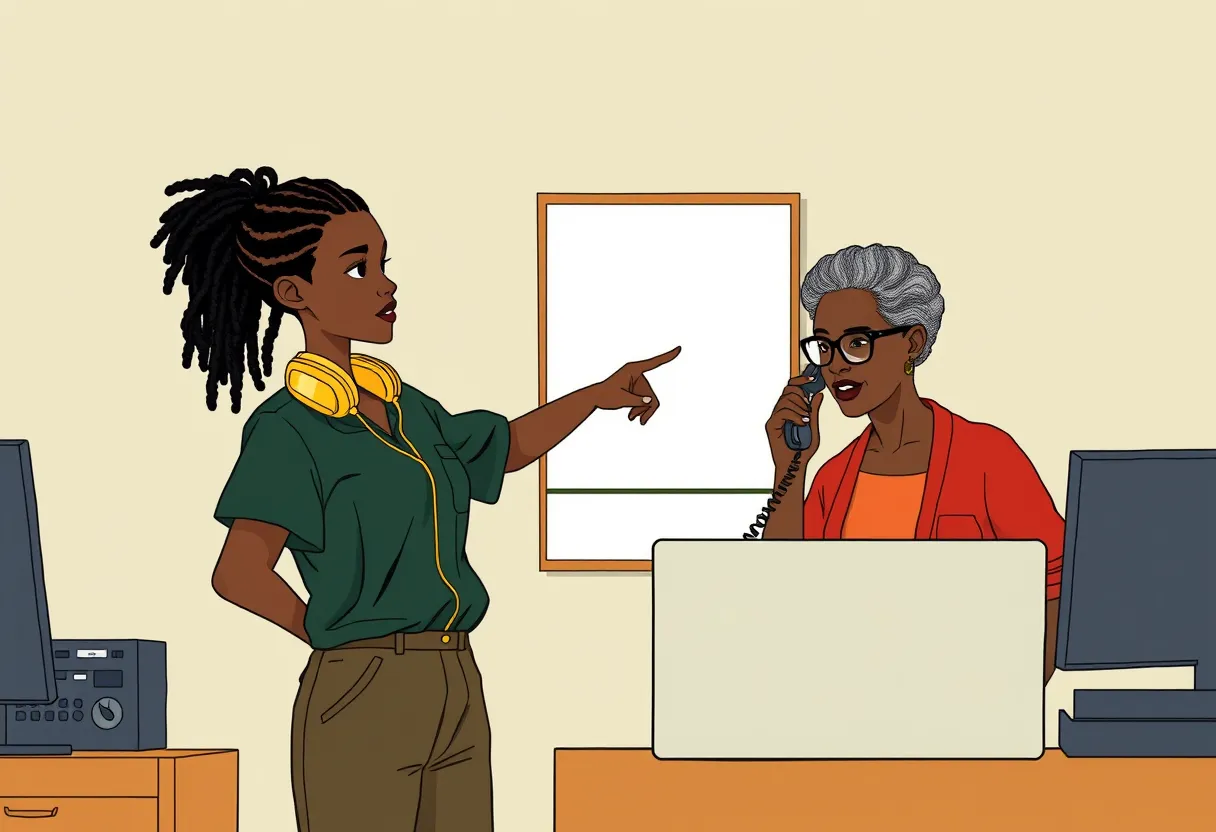
Dee: District IT never asks for a code. Let's hang up and call the number on the poster.
Ms. Harris: Kevin, I'm going to call you back.
Why the code mattered
The text message code was part of a process. Each step depends on the one before it, so stopping any one step stops the attack.
- 1The attacker finds a real email addressStaff addresses are often listed on a school's website.
- 2The attacker tries to sign in as that personThe system sends a sign-in code to the real person's phone.
- 3The attacker calls and asks for the codeThis is the vishing call from panel 2.
- 4With the code, the attacker gets into the accountMs. Harris never shared it, so this step did not happen.
Phishing is social engineering done by email. It uses the same tools as the phone call: impersonation and urgency. Phishing sent as a text message has its own name, smishing.
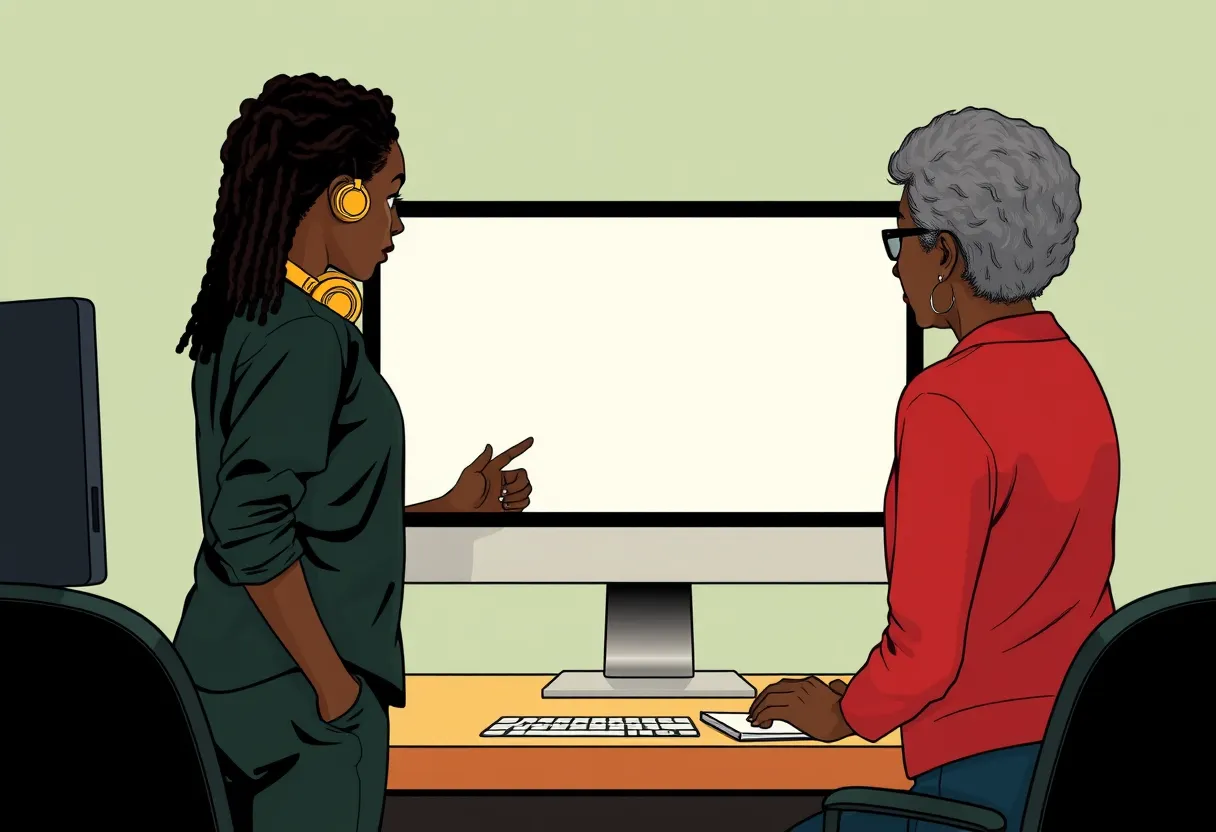
Dee: Same trick, different door. Look at who sent this one.
You decideMs. Harris's pointer is on the blue button. What should she do?
The link opens a page that looks exactly like the district sign-in. The address bar tells the truth: account-verify.example is not the district's site.

Ms. Harris: It looks just like ours.
The password typed into the fake page goes straight to the attacker. This account had no sign-in code turned on, so the password alone was enough. Multifactor authentication would have stopped this step.

That is what can happen next.
Figure 1. Reading a phishing email
Figure 1 shows the email from panel 6 with its warning signs numbered. One sign alone can be a mistake. Several signs together are a strong reason to report the message instead of clicking.
From "District IT Support" <it-support@schools-help.example.net> 1
Subject URGENT: Your email will be closed in 24 hours 2
Dear user, 3
We detected unusual activity on your account. Verify your account now or you will lose access to email.
Verify My Account 4
Link goes to: https://account-verify.example/login
- 1The sender's address does not match the district's real address, which ends in @schools.example.org.
- 2The subject line adds urgency: a deadline and a threat.
- 3The greeting is generic. Real district email uses your name.
- 4The button's link goes to a different website. Holding the pointer over a link shows where it really goes.
Non-example. This is not phishing: an email from your real IT address, using your name, saying the network will be down Saturday from 8 to 10 a.m. It asks you to do nothing.
Tailgating is following an authorized person through a secured door without using a badge. The person who holds the door is usually being polite, which is exactly what the tailgater counts on.
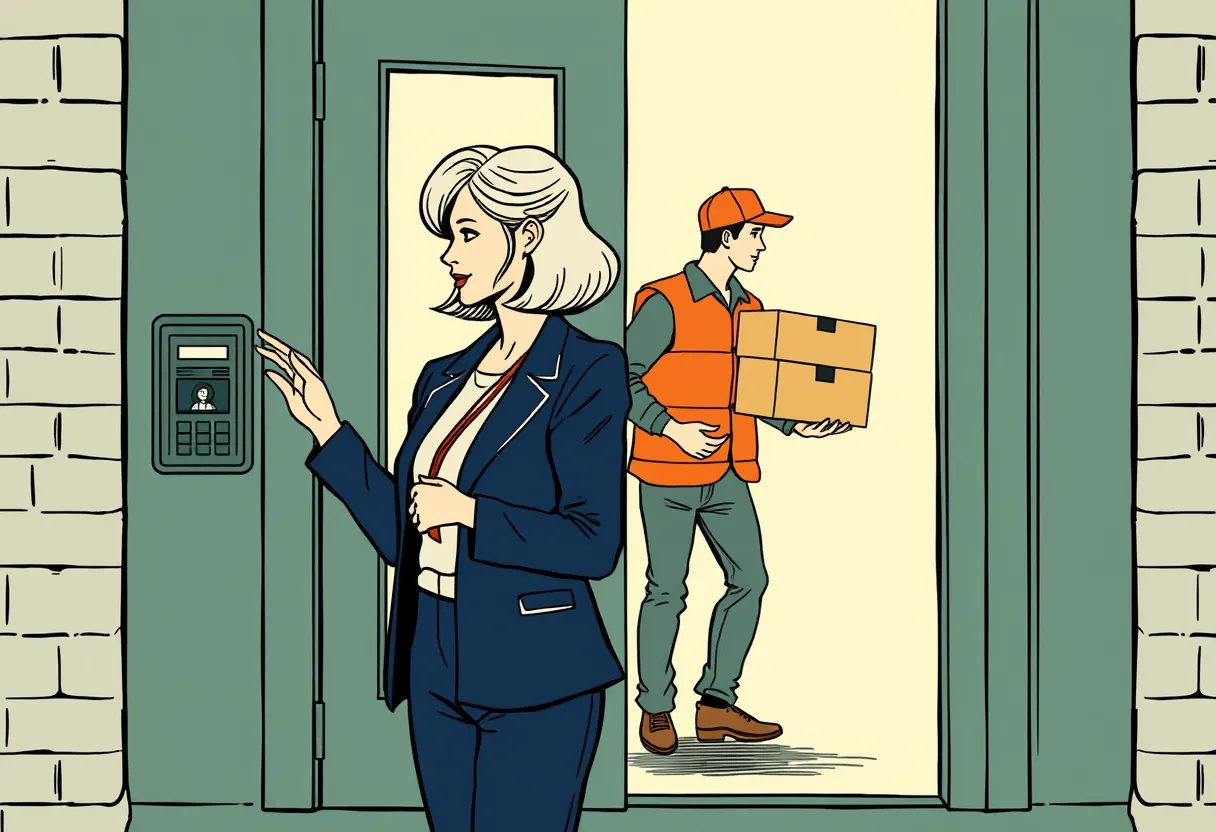
Visitor: Hold the door? My hands are full.
Teacher: Sure, go ahead.
You decideThe visitor is inside, and Dee sees him. What should she do?
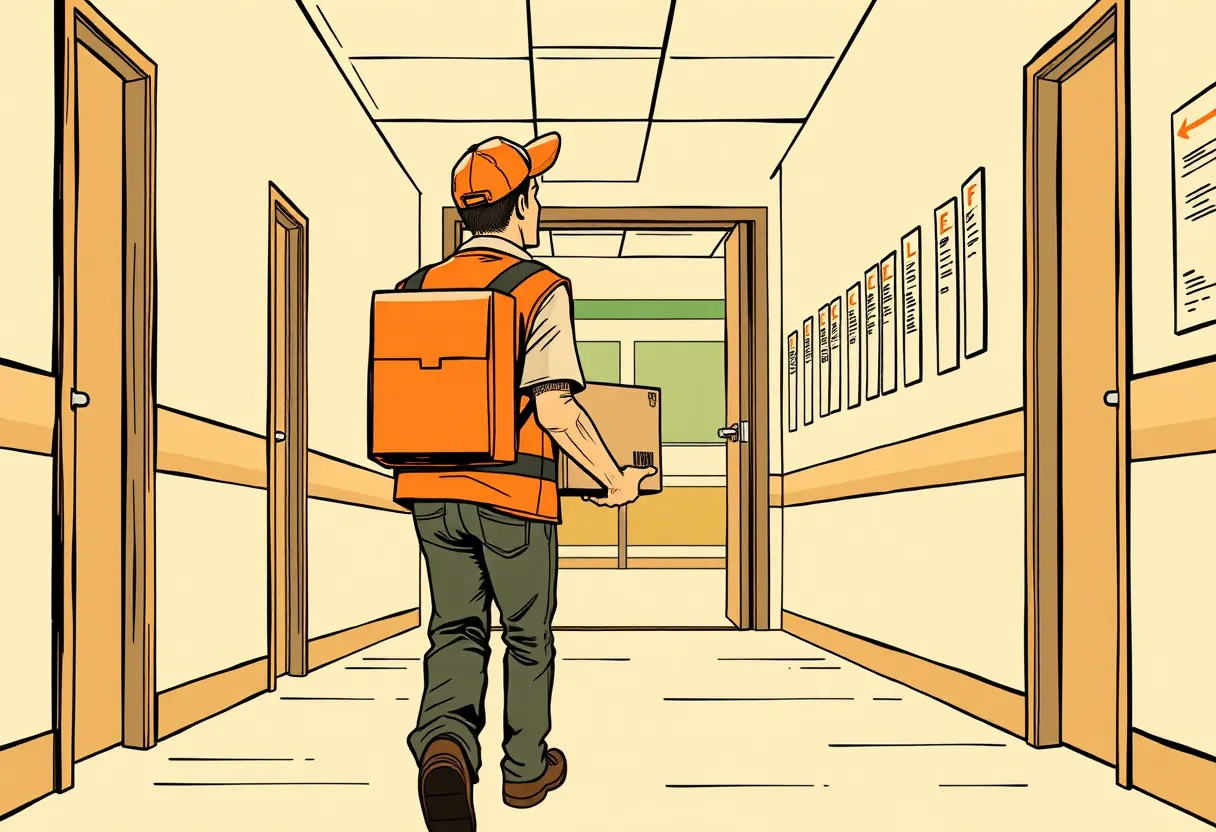
Inside, a visitor who never signed in can walk the halls, look into unlocked rooms and plug a device into an open network port. Nobody knows he is there.
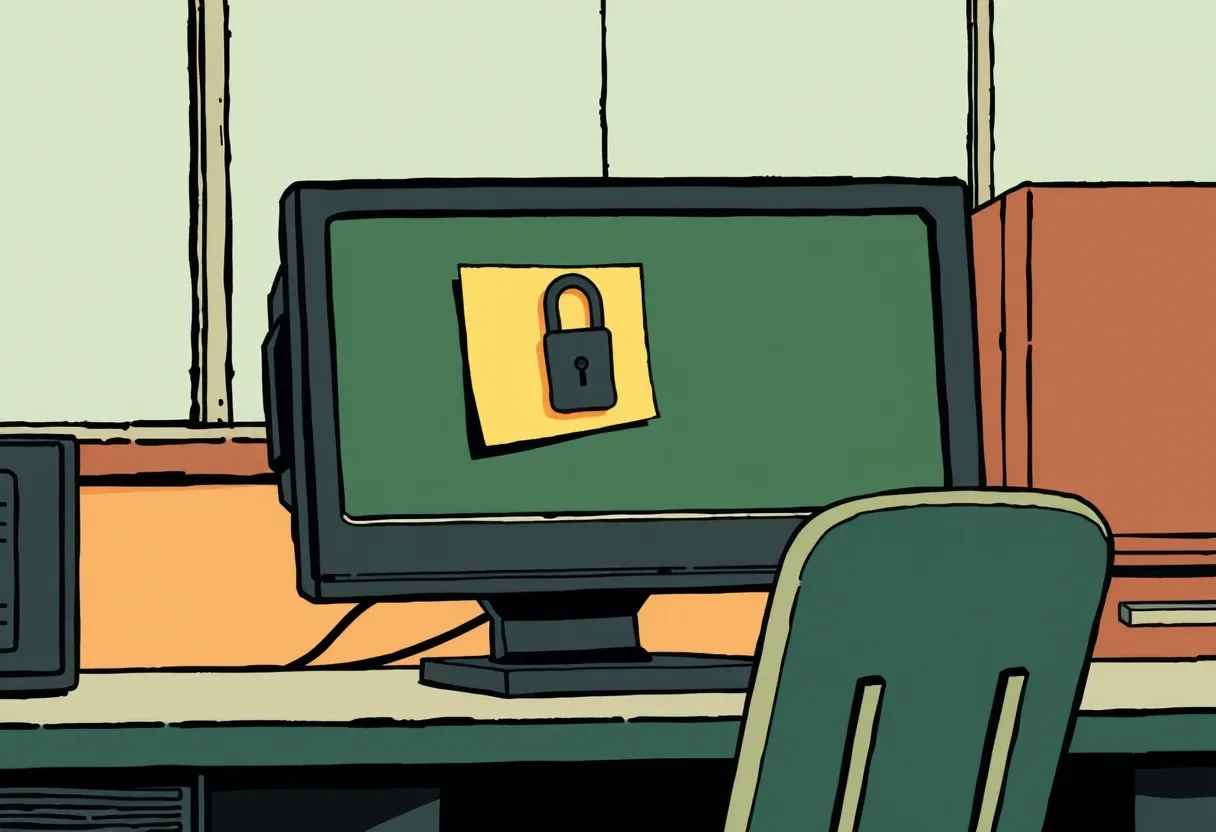
An unlocked computer with the password on a sticky note: physical access becomes digital access in seconds. Locking the screen with the Windows key and L takes one second.
That is what can happen next.
Walking in after you badge in with your own card is not tailgating, because each person who uses a badge is authorized. Sending a visitor to the front office to sign in is verification at the door.
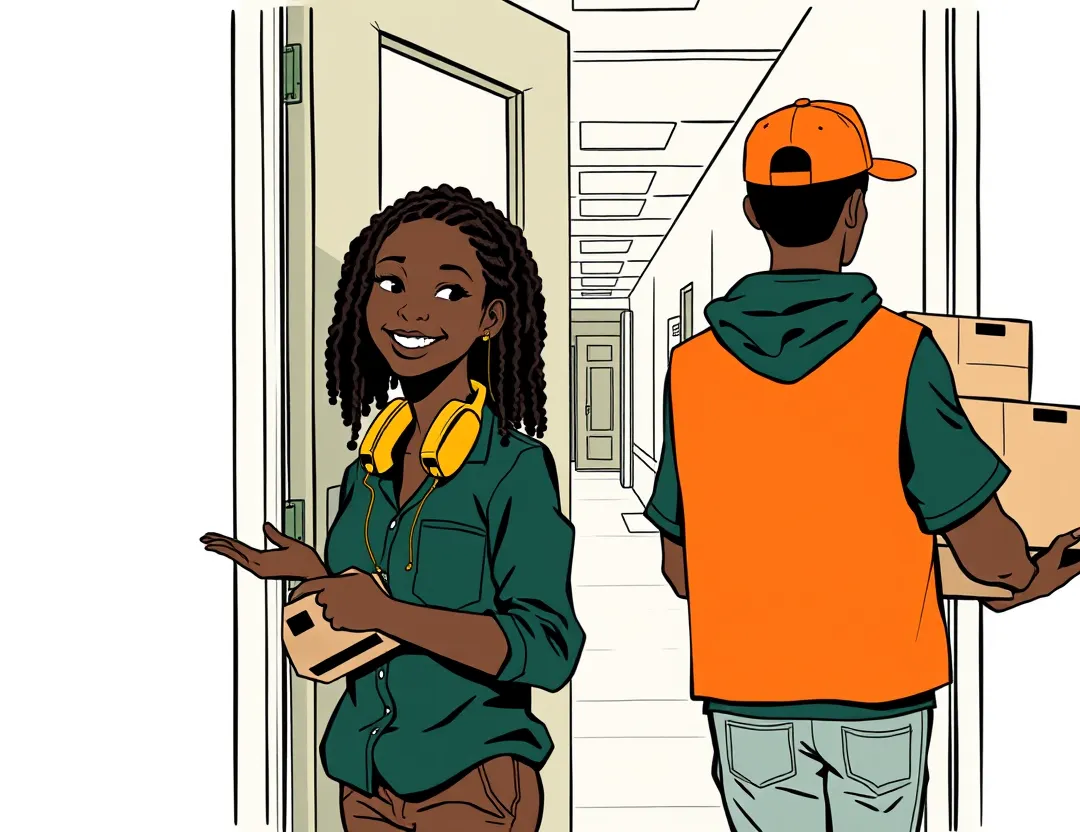
Dee: Morning. Deliveries sign in at the front office. It's right down this hall.
Visitor: Uh, I'll come back later.
Three doors, one trick
The phone call, the email and the back door used different routes, but each attack worked the same way: pretend to be trusted, add pressure, and ask for something.
| Route | Name | Impersonation | Urgency | What they wanted |
|---|---|---|---|---|
| Phone | Vishing | Pretends to be district IT | An outage, an account closing | A sign-in code |
| Phishing | Pretends to be IT support | Closed in 24 hours | Your password, through a fake site | |
| Door | Tailgating | Looks like a delivery driver | Hands full, door closing | A way into the building |
Shoulder surfing is a fourth route: watching someone type a password or PIN. Turning your screen away or covering the keypad stops it.
After stopping an attempt, a technician reports it to the security team. A report lets the team warn other offices, block the email sender and look for anyone who did share a code.
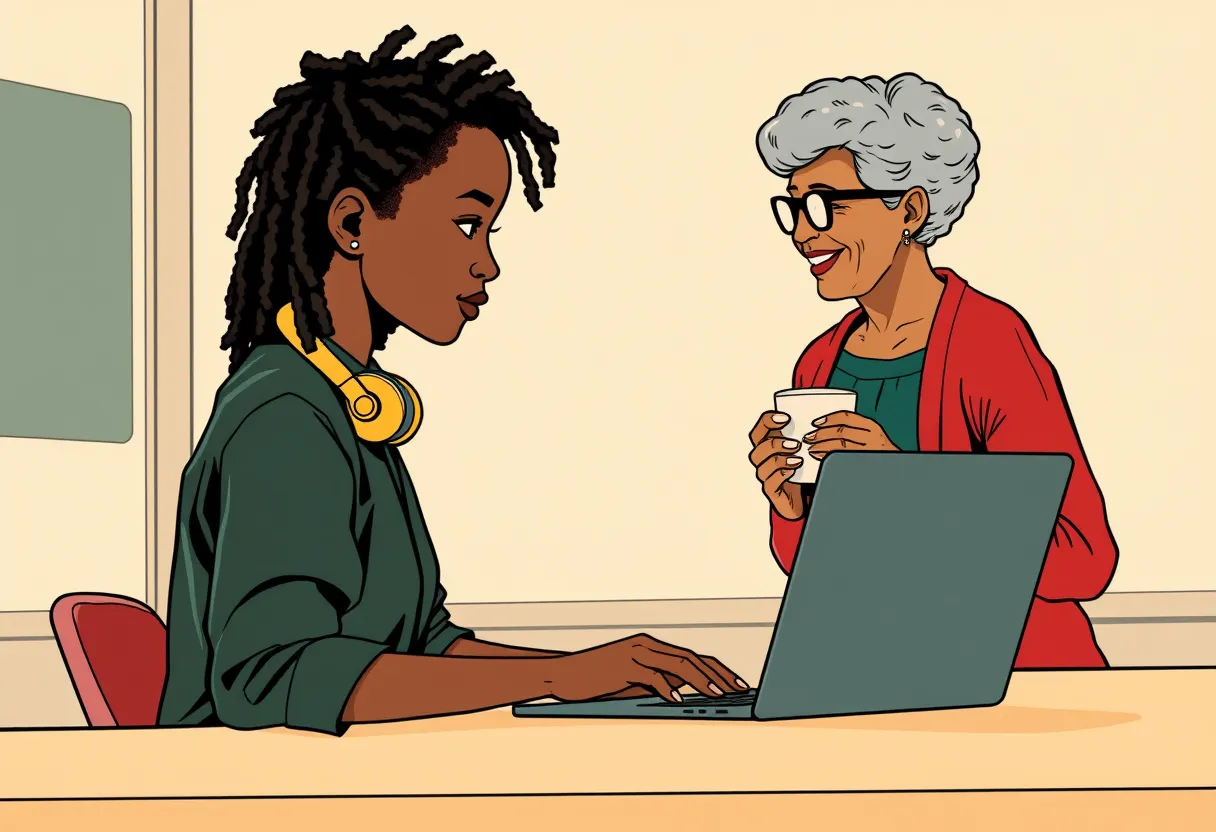
Ms. Harris: So nobody hacked the computer.
Dee: Nobody had to. That's why I'm reporting it, so the whole district gets warned.
Summary
Social engineering targets people instead of computers. It arrives by phone (vishing), by email or text (phishing and smishing) or at the door (tailgating), and it usually combines impersonation with urgency.
What to do, in order
- Slow down. Urgency is a warning sign.
- Verify through a number or address you already know is real.
- Never share a password or a sign-in code.
- Report the attempt to the help desk or security team.
Plain-text version (for screen readers, translation tools, or reading without pictures)
Panel 1
[Ms. Harris, the school secretary, answers the desk phone in the front office on a bright morning.]
Social engineering is tricking a person into giving up information or access, instead of breaking into a computer. It is the most common way attackers get into a school or business, because it targets people instead of machines.
Ms. Harris: Front office, this is Ms. Harris.
Panel 2
[Close-up of Ms. Harris holding the phone to her ear and looking at a text message on her cell phone.]
Vishing is social engineering done over the phone. This caller is using impersonation, which means pretending to be someone the person trusts. A real IT technician calling about a real outage is not impersonation, because the technician is who they say they are.
Caller: Hi, this is Kevin from district IT. We're fixing the email outage. I just texted you a code. Read it to me so I can keep your account open.
Text message: Your sign-in code is 482913. Do not share this code with anyone.
You decide: Kevin is waiting on the line. What should Ms. Harris do?
The story continues with the safe choice: Stop and check who is really calling.
If instead the choice is "Read him the code so he can fix her account," this happens:
Panel 2A
[Ms. Harris holds her head in her hands, staring at her computer screen.]
When the code is shared, the last step of the attack happens: the attacker signs in to Ms. Harris's email as if they were her, and sends phishing to everyone in her address book. Messages from a real school account are much harder to spot.
Ms. Harris: I didn't send any of these.
Screen: Sent, 412 messages in 10 minutes, to all staff and the parents list.
Panel 2B. What one shared code costs
Recovery takes the rest of the day. Verification would have taken one phone call.
- Reset the password and sign the account out of every device.
- Warn everyone who got a message from her account, so they do not click.
- Check what the attacker read, changed or forwarded.
- Report it to the district security team, who look for anyone else who replied.
Panel 3
[Dee, a student IT intern with gold headphones, stops a laptop cart in the doorway and listens.]
Social engineers add urgency, which is pressure to act right away, so the person acts before thinking. For example, an outage and an account about to close are both urgency. A notice that the network will be down next Saturday is not urgency, because it asks for nothing and gives time.
Dee: Ms. Harris, can I ask who that is first?
Panel 4
[Dee points at the help desk poster on the wall while Ms. Harris holds the phone away from her ear.]
The main defense is verification, which means contacting the person through a phone number or address you already know is real. Calling the help desk number on the poster is verification. Calling back a number the caller gives you is not, because the caller controls that number.
Dee: District IT never asks for a code. Let's hang up and call the number on the poster.
Ms. Harris: Kevin, I'm going to call you back.
Poster: District Help Desk. (504) 555-0142 IT will never ask for your password or a code.
Panel 5. Why the code mattered
The text message code was part of a process. Each step depends on the one before it, so stopping any one step stops the attack.
- The attacker finds a real email address. Staff addresses are often listed on a school's website.
- The attacker tries to sign in as that person. The system sends a sign-in code to the real person's phone.
- The attacker calls and asks for the code. This is the vishing call from panel 2.
- With the code, the attacker gets into the account. Ms. Harris never shared it, so this step did not happen.
Panel 6
[Dee points at an email on Ms. Harris's computer screen.]
Phishing is social engineering done by email. It uses the same tools as the phone call: impersonation and urgency. Phishing sent as a text message has its own name, smishing.
Dee: Same trick, different door. Look at who sent this one.
You decide: Ms. Harris's pointer is on the blue button. What should she do?
The story continues with the safe choice: Check who sent the email first.
If instead the choice is "Click "Verify My Account"," this happens:
Panel 6A
[Ms. Harris types at her keyboard, looking at a sign-in page on her monitor.]
The link opens a page that looks exactly like the district sign-in. The address bar tells the truth: account-verify.example is not the district's site.
Ms. Harris: It looks just like ours.
Screen: a sign-in page at account-verify.example/login titled "District sign-in."
Panel 6B
[A phone on the desk lights up with a notification.]
The password typed into the fake page goes straight to the attacker. This account had no sign-in code turned on, so the password alone was enough. Multifactor authentication would have stopped this step.
District account: New sign-in to your account from an unknown device.
Panel 7. Figure 1. Reading a phishing email
Figure 1 shows the email from panel 6 with its warning signs numbered. One sign alone can be a mistake. Several signs together are a strong reason to report the message instead of clicking.
From: "District IT Support" <it-support@schools-help.example.net>. Subject: URGENT: Your email will be closed in 24 hours. Dear user, We detected unusual activity on your account. Verify your account now or you will lose access to email. Button: Verify My Account, which links to https://account-verify.example/login.
- The sender's address does not match the district's real address, which ends in @schools.example.org.
- The subject line adds urgency: a deadline and a threat.
- The greeting is generic. Real district email uses your name.
- The button's link goes to a different website. Holding the pointer over a link shows where it really goes.
This is not phishing: an email from your real IT address, using your name, saying the network will be down Saturday from 8 to 10 a.m. It asks you to do nothing.
Panel 8
[A teacher taps her badge at the back door while a man in a delivery vest carrying boxes slips in behind her.]
Tailgating is following an authorized person through a secured door without using a badge. The person who holds the door is usually being polite, which is exactly what the tailgater counts on.
Visitor: Hold the door? My hands are full.
Teacher: Sure, go ahead.
You decide: The visitor is inside, and Dee sees him. What should she do?
The story continues with the safe choice: Politely send him to sign in at the front office.
If instead the choice is "Let it go. He is just dropping off boxes," this happens:
Panel 8A
[The man in the delivery vest walks alone down an empty school hallway, looking into a classroom.]
Inside, a visitor who never signed in can walk the halls, look into unlocked rooms and plug a device into an open network port. Nobody knows he is there.
Panel 8B
[An empty office with a computer left on and a sticky note on the monitor.]
An unlocked computer with the password on a sticky note: physical access becomes digital access in seconds. Locking the screen with the Windows key and L takes one second.
Sticky note: pw: Saints2026
Panel 9
[Dee smiles and points the delivery man down the hall to the front office. He turns to leave.]
Walking in after you badge in with your own card is not tailgating, because each person who uses a badge is authorized. Sending a visitor to the front office to sign in is verification at the door.
Dee: Morning. Deliveries sign in at the front office. It's right down this hall.
Visitor: Uh, I'll come back later.
Panel 10. Three doors, one trick
The phone call, the email and the back door used different routes, but each attack worked the same way: pretend to be trusted, add pressure, and ask for something.
- Phone: Vishing. Impersonation: Pretends to be district IT. Urgency: An outage, an account closing. Wanted: A sign-in code.
- Email: Phishing. Impersonation: Pretends to be IT support. Urgency: Closed in 24 hours. Wanted: Your password, through a fake site.
- Door: Tailgating. Impersonation: Looks like a delivery driver. Urgency: Hands full, door closing. Wanted: A way into the building.
Shoulder surfing is a fourth route: watching someone type a password or PIN. Turning your screen away or covering the keypad stops it.
Panel 11
[Dee types a report at the help desk while Ms. Harris stands beside her with a cup of coffee.]
After stopping an attempt, a technician reports it to the security team. A report lets the team warn other offices, block the email sender and look for anyone who did share a code.
Ms. Harris: So nobody hacked the computer.
Dee: Nobody had to. That's why I'm reporting it, so the whole district gets warned.
Panel 12. Summary
Social engineering targets people instead of computers. It arrives by phone (vishing), by email or text (phishing and smishing) or at the door (tailgating), and it usually combines impersonation with urgency.
- Slow down. Urgency is a warning sign.
- Verify through a number or address you already know is real.
- Never share a password or a sign-in code.
- Report the attempt to the help desk or security team.